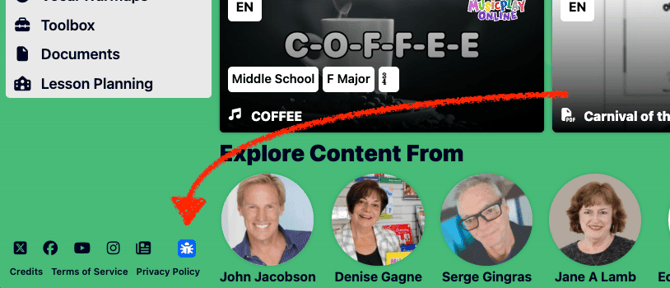
To report a bug on Musicplay Online, click the blue bug icon available on every page of the site and complete the Bug Report form. To submit a feature request or report a bug another way, visit the Contact Us page. Follow the steps below to file a bug report using the bug icon.
Submit a Bug Report or Feature Request
How do I report a bug on Musicplay Online?
To report a bug on Musicplay Online, click the blue bug icon on any page of the site, complete the Bug Report form with details about the issue, and click Submit.
- Locate the blue bug icon in the bottom corner of any page on Musicplay Online.
- Click the icon to open the Bug Report form.
- Fill in the form with as much detail as possible. Include the steps to reproduce the bug, the device and browser you are using, and any error messages you saw.
- Click Submit to send your report.
After you submit your report, you will receive a confirmation email. A member of the Musicplay support team will review your report and follow up with you, typically within 1–2 business days.